


All Email Login
4.02.57K Reviews
App Specs
- Version
- 1.53
- Updated On
- License
- Free
- Downloads
- 1,000,000+
- Developer
- All Email Login
- Categories
- Communication
- Platform
- Android, iOS
Screenshots
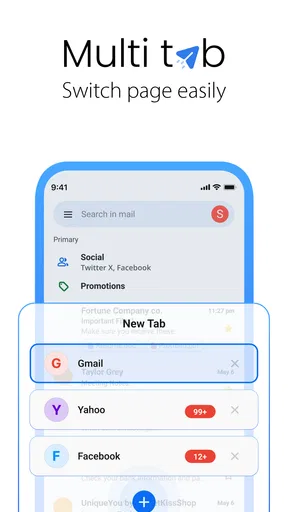
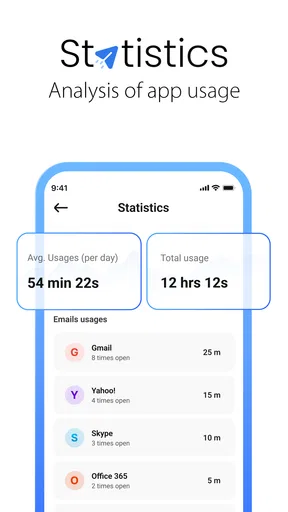
 Analysis by AppCompare
I often think the main challenge with email is not sending or receiving messages; it is deciding when to pay attention to them. If you keep separate addresses for work, shopping, family, and older accounts, checking each can turn into a string of small interruptions. All Email Login is aimed at people who want to bring those inboxes into one place, and that can make the routine feel less scattered. It is a communication app from All Email Login, available free, with a Teen content rating. Its current version is 1.52, and the app has a 4.0 average from around 13,000 ratings, alongside more than a million installs.
When one place helps—and when it does not
A shared email app is most useful when you genuinely need to keep several accounts in view. I can see the appeal for someone who uses one address for household matters, another for work, and a third for receipts or subscriptions. Instead of remembering which app to open, a single place offers a simpler starting point for a quick check. That convenience is especially relevant when an important reply could arrive in any of those inboxes.
It is less compelling if you use only one account and already like its dedicated app. A single-provider app may give you a more familiar set of tools and a clearer account-specific experience. I would not switch just for the idea of having everything together; the gain depends on whether moving between inboxes is a real annoyance in your day.
A practical rhythm for checking mail
Picture a busy morning: you are waiting for a work reply, need to find a delivery update, and want to check whether a family member has written. With separate email apps, each check means changing contexts. A combined inbox can make that scan quicker, while account-by-account views remain useful when you need to focus on one conversation or keep personal and professional messages apart.
That distinction matters more than it sounds. A unified feed is convenient for catching something you might otherwise overlook, but it can also mix messages that deserve very different responses. I would use the combined view for a broad scan, then switch to the relevant account before replying or handling a thread that needs care. That small habit helps preserve context rather than treating every incoming message as part of one undifferentiated stream.
Notifications can change your boundaries
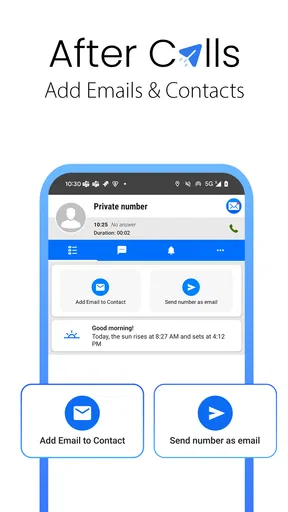
The app’s store summary highlights checking mail after calls, and that points to a particular kind of convenience: using a moment between conversations to catch up. Push notifications can also surface new mail without opening every inbox. Those options may suit someone who has to stay reachable, but they can make email feel present throughout the day if every arrival becomes a reason to look.
I would be deliberate about how often I let notifications pull me back in. A message arriving is not always a message that needs an immediate answer, and a quick glance can easily become a longer detour. If you are trying to protect focused work or time away from your phone, consider whether constant alerts fit your routine before relying on them. The useful question is not simply whether you can see new mail quickly; it is whether that speed helps you or keeps you on call.
Worth Reading Before You Choose

EA SPORTS FC Mobile 26 Is a Bigger Football Game, but It Takes Time

Flipboard Shows What News Apps Must Do Beyond the Feed

Switching to Android Auto Means Rethinking Your Driving Routine

Google Calendar Makes a Crowded Week Easier to Manage

Ludo King Makes the Most of the Minutes Between Plans

Baby Panda World Brings Quick Play to Modern Phones, but Its Game Library Feels Busy
What to check before moving accounts
Bringing accounts into one app means entering the credentials needed to access them. Before adding an address, I would check that I am using the correct account and that I am comfortable managing it through a third-party email client. For a work account, it is sensible to follow any rules set by your employer rather than assuming every mail app is acceptable for business messages.
I would also test the setup with a low-stakes account first if I had several addresses to add. Send a message to yourself, check that it appears where expected, and make sure you can tell which account is active before replying. This is a practical way to avoid a common multi-inbox mistake: sending a personal response from a work address, or answering a work thread from the wrong identity.
The app is listed under Communication, and it was released on December 13, 2023. Its developer is All Email Login. Those details place it as a relatively recent option in a familiar category, but what matters in day-to-day use is whether it handles your particular combination of accounts in a way that feels clear. I would treat setup as a short trial rather than immediately making it the only route to every important message.
Bringing All Emails Under One Roof
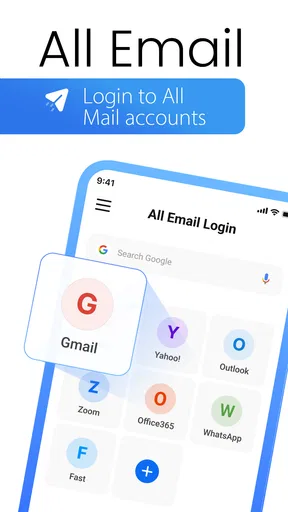
The first thing that strikes you about All Email Login is its ability to integrate various email services seamlessly. From Gmail to Yahoo, Outlook to iCloud, this app covers it all. Setting up is a breeze—simply enter your credentials and boom, your inboxes are at your fingertips.
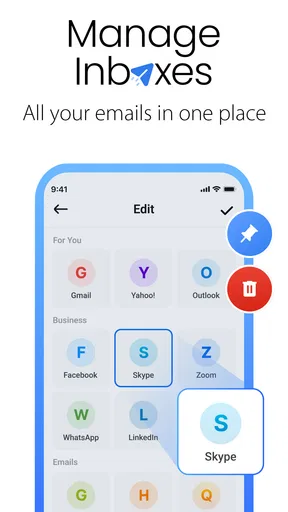
The user interface is clean and intuitive, making navigation feel like a walk in the park. Whether you're a tech-savvy individual or someone who just wants to check emails without any fuss, the app caters to all. And for those who love a bit of customization, you can tweak the layout to suit your style.
Features That Make Life Easier
One standout feature is the unified inbox. You get all your emails in one feed, but if you prefer a more organized look, you can switch to individual accounts with just a tap. The app also supports push notifications, so you won't miss any important messages.
Another nifty feature is the ability to manage attachments effortlessly. Whether you're downloading, uploading, or just viewing, the process is straightforward. Oh, and did I mention the app supports multiple languages? It's like they thought of everything!
Security and Privacy: A Top Priority
In today's world, security is paramount. All Email Login takes this seriously with advanced encryption to protect your data. Rest assured, your information is safe from prying eyes. Plus, the app doesn’t store your passwords, adding an extra layer of security.
For those concerned about privacy, you'll be pleased to know that the app adheres to strict privacy policies. It’s refreshing to see an app that respects user data and doesn’t bombard you with unnecessary ads.
Performance and Reliability: Does It Deliver?
When it comes to performance, the app runs smoothly across both Android and iOS platforms. During my time using it, I didn’t experience any crashes or lagging, which is a huge plus. Emails load quickly, and switching between accounts is snappy and efficient.
The app developers seem committed to regular updates, continually improving the user experience. It’s reassuring to know that they’re actively working on enhancing the app’s functionality.
If you're someone who relies heavily on email for work or personal use, you'll appreciate the app's reliability. It's like having a personal assistant that never takes a day off.
Making the inbox work for your day
For a smoother routine, I would decide in advance what each view is for. The shared feed works well as a catch-all when I have a few seconds to check whether anything needs attention. Individual inboxes make more sense for longer sessions, when I am filing, following up, or writing a considered response. Keeping those uses separate makes a combined mailbox feel like a practical tool rather than another feed to monitor constantly.
Attachments are another reason to choose a consolidated app, particularly if you often receive documents across different addresses. Still, I would take a moment to confirm which account a message belongs to before sending a file or replying. The convenience of having everything nearby can blur boundaries if you move too quickly. A quick identity check is a small trade-off for avoiding confusion between personal and professional conversations.
Compared with opening each provider’s own app, the obvious advantage here is having a shared place to look. The trade-off is that a dedicated service app may feel more tailored to its own inbox, while a multi-account client prioritizes access across accounts. If you depend on provider-specific tools or prefer to keep every account in its own visual space, the separate apps may suit you better. If the repeated app-switching is what wears you down, consolidation is the more persuasive benefit.
Who I would recommend it to
I would consider this app if several email accounts are part of ordinary life and I regularly lose time checking them one at a time. It may also suit people who want a quick overview between tasks, provided they are comfortable deciding which notifications deserve attention. The free price makes it easy to consider as a low-commitment way to test whether a single inbox actually improves your habits.
I would be more cautious if email is sensitive, if a workplace requires a particular client, or if I need a specialized workflow that depends on one provider’s own app. I would also skip a change that creates more confusion than it removes. A combined inbox is only useful when account identity stays obvious and the shared view helps you respond with better timing, not merely faster reflexes.
Wrapping It Up: Is It Worth It?
So, is All Email Login worth downloading? Based on my experience, it's a resounding yes. The convenience of managing multiple accounts in one app, coupled with its user-friendly design and robust security features, makes it a standout choice for anyone looking to streamline their email management.
Whether you're a busy professional or just someone tired of juggling multiple apps, All Email Login is here to make your life easier. Give it a try, and you might just find it’s the email solution you’ve been waiting for.
My final call on the trade-off
For me, the strongest reason to try it is not that every email becomes urgent or easier to answer; it is that checking several addresses can take fewer steps. The most useful approach is to treat the unified inbox as a doorway, not a demand to react to every message as soon as it appears. That keeps the convenience while leaving room for boundaries and clearer replies.
If you value a single place to glance across accounts, this communication app is worth considering. If you already have a calm, reliable routine with separate inboxes, there is no need to change it just because consolidation sounds appealing. I would try it with the accounts that cause the most app-switching, pay attention to whether the shared view genuinely reduces friction, and keep whichever setup makes your email feel manageable rather than ever-present.
Pros
- Supports multiple email providers easily.
- User-friendly interface for quick navigation.
- Secure login with strong encryption.
- Customizable notifications for each account.
- Efficient in managing email overload.
Cons
- Limited support for lesser-known email services.
- Occasional ads can be distracting.
- Some features require premium upgrade.
- Syncing issues with older devices.
- No offline access for emails.
FAQs for All Email Login
What is All Email Login and how does it work?
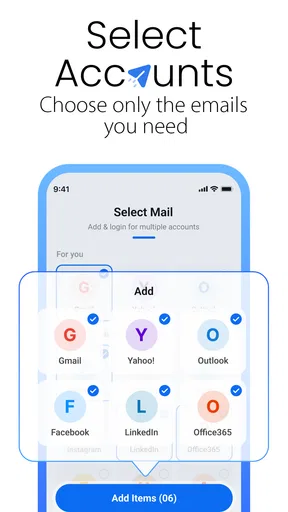
All Email Login is an application designed to streamline the management of multiple email accounts from various providers. It allows users to access all their emails in one place, eliminating the need to switch between different apps. Users simply add their existing email accounts to the app, and it fetches emails from all linked accounts for easy access and management.
Is my data secure when using All Email Login?
Yes, All Email Login prioritizes user security and employs encryption protocols to protect your data. The app does not store your emails on its servers; it functions as a client that fetches emails directly from your email providers. Always ensure you download the app from trusted sources to avoid security risks.
Can I customize notifications for different email accounts in All Email Login?
Absolutely. All Email Login offers flexible notification settings, allowing you to customize notifications for each email account individually. This means you can choose to receive alerts for important emails while muting less critical accounts, ensuring you stay organized and focused on what matters most.
Does All Email Login support all email providers?
All Email Login supports a wide range of popular email providers, including Gmail, Yahoo, Outlook, and more. However, it's always a good idea to check the app's compatibility list in the app store description to ensure your specific provider is supported, especially if you use a less common service.
Is All Email Login free to use, or are there in-app purchases?
All Email Login is free to download and use, offering basic functionalities for managing emails. However, there may be in-app purchases or a premium version available that provides additional features such as advanced filtering, ad-free experience, and enhanced support. Users can choose to purchase these extras based on their needs.


